Add a Phone Number
Estimated Time: 4 minutes
We need to add your business phone number in the Meta console to connect it with your WhatsApp Business account. Once added, Meta generates a unique Phone Number ID. You'll use this ID in the Predictable Dialogs app to enable sending and receiving messages through WhatsApp Cloud API.
Below are the steps to add your phone number:
Access Your App Settings
- Visit Facebook Developers.
- Select the app you wish to configure.
Navigate to WhatsApp Configuration
-
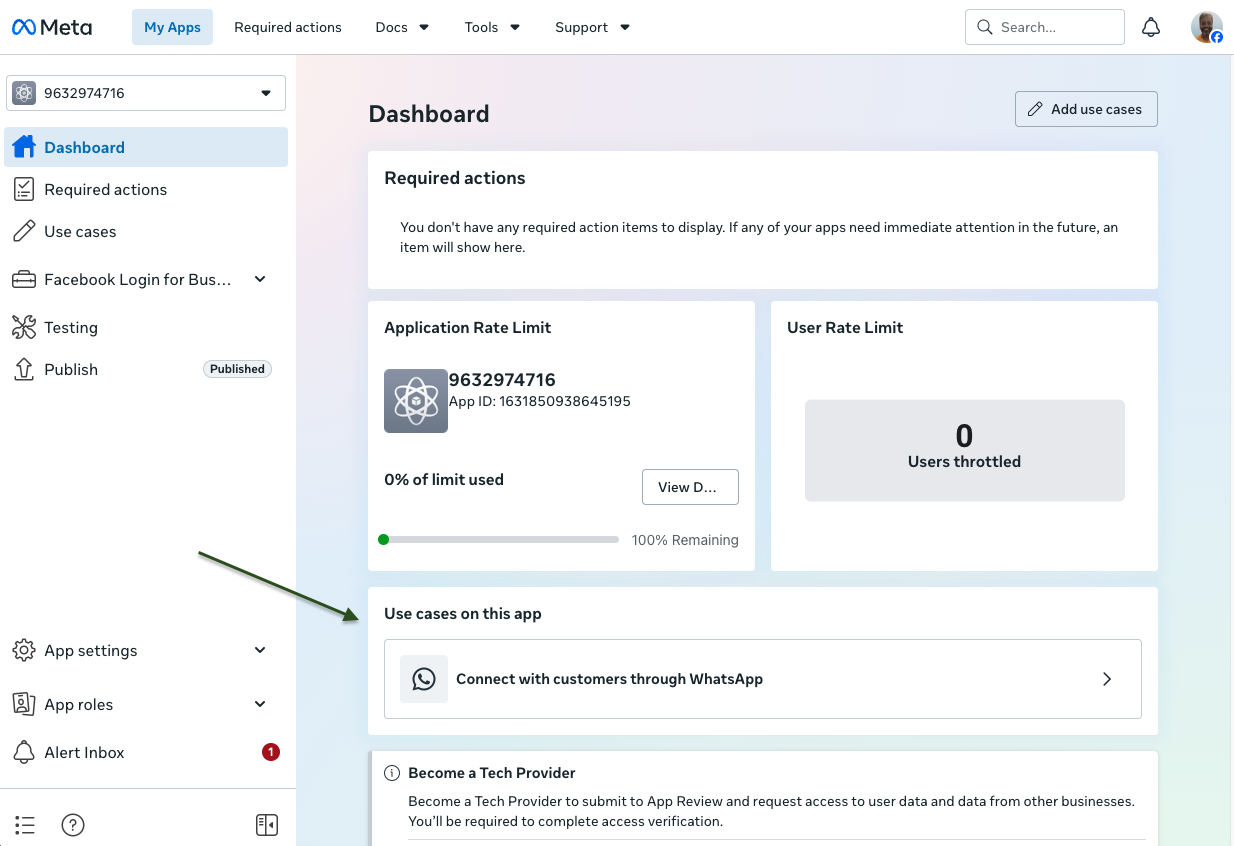
Click on "Connect with customers through WhatsApp"
-
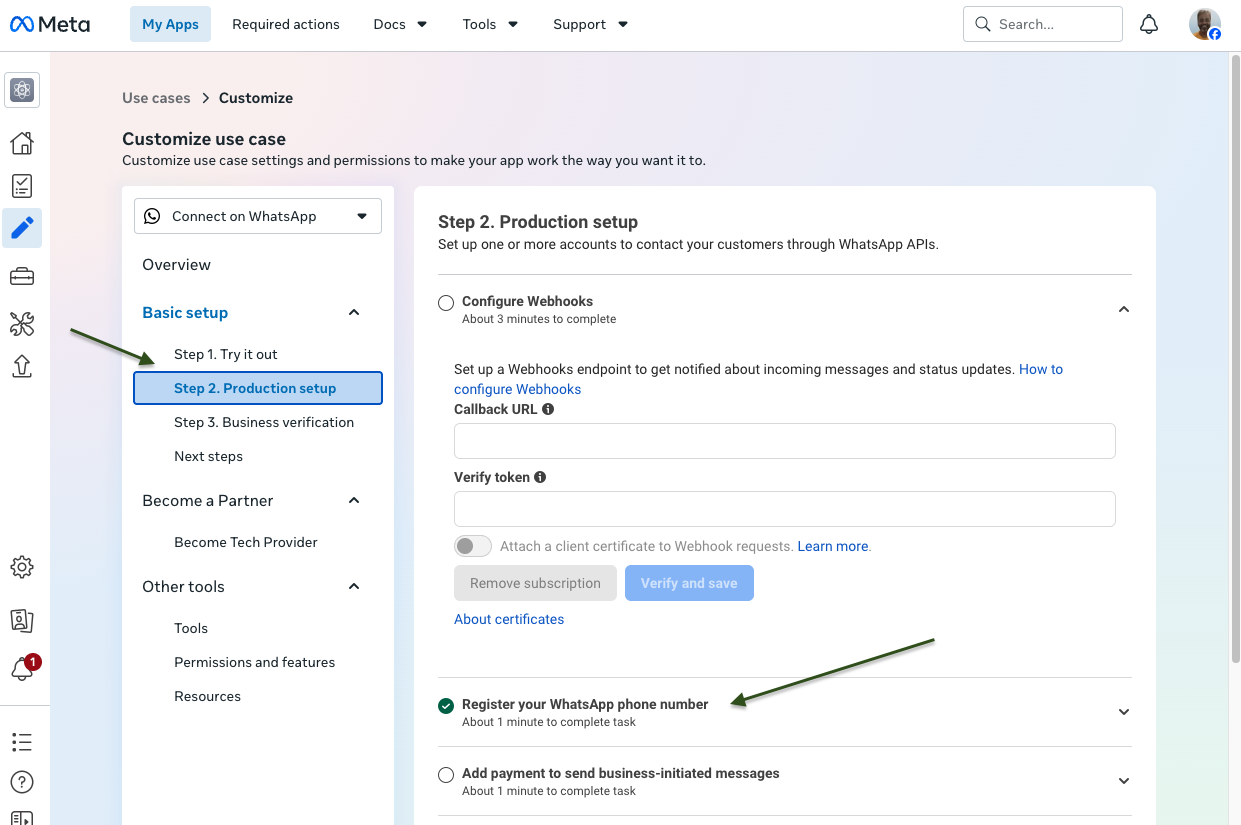
In Basic setup, click Step 2. Production setup. In Production setup, we will first add the phone number. We will add the webhook later.
-
Go to Register your WhatsApp phone number.
-
Click Add new number.
-
Setting the PIN here may or may not work.
-
It is preferable to enter the PIN directly in the Predictable Dialogs app. Predictable Dialogs registers the PIN using the API and does not retain the PIN.
-
If you have already set the PIN here or from another app, you do not need to enter the PIN in Predictable Dialogs again because the number is already registered with the WhatsApp Cloud API.
-
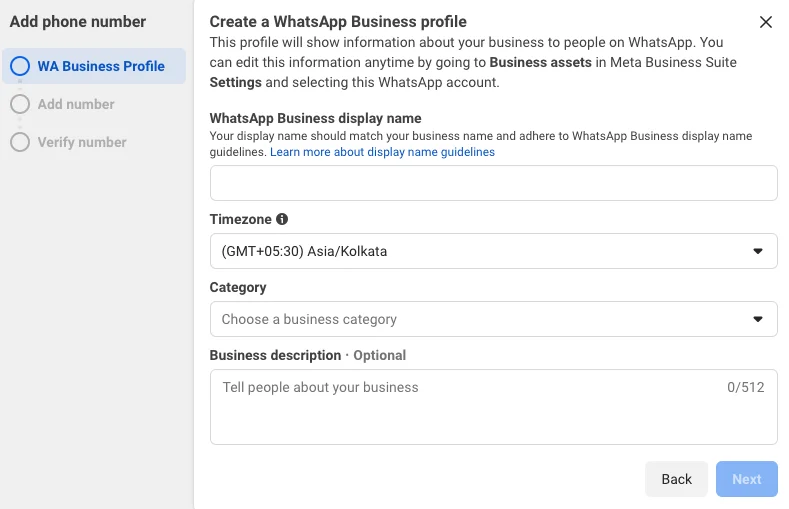
Add the "WhatsApp Business display name", Category and Description
-
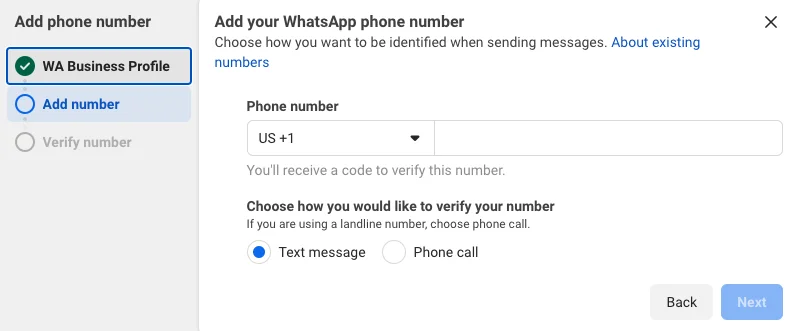
Then Add your WhatsApp phone number
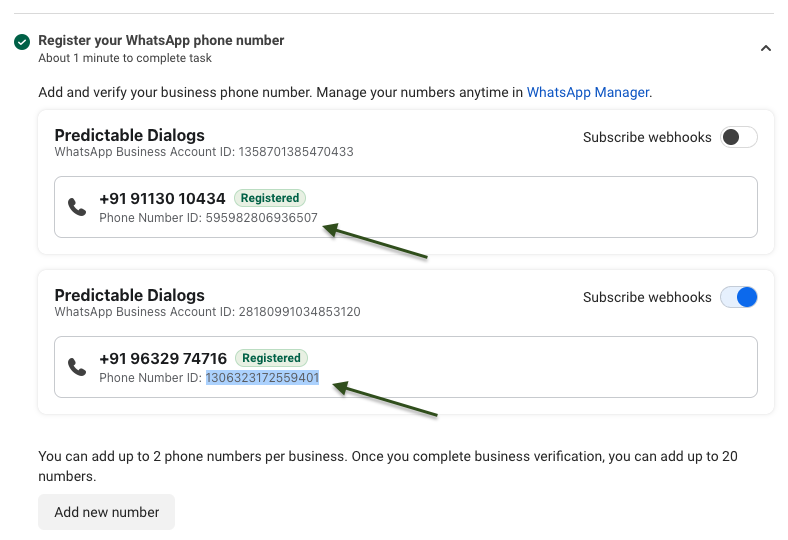
Copy Your Phone Number ID
- Once the number is added, ensure to copy the “Phone Number ID” associated with the newly added phone number.
- The phone number is the WhatsApp number your customers will message.
- The Phone Number ID is a Meta ID for that phone number. In the Meta Console, it appears below the phone number.