Create a Meta App
Estimated Time: 3 minutes
Follow these simple steps to create your Meta app:
-
Access the App Creation Page
- Open your web browser and navigate to Meta Developers Page.
- Ensure you are logged in with your Facebook account that has access to the Business features.
- If this is the first time you are coming to this page, click "Getting Started" on the top right corner. This will help you register your account as a meta developer.
-
Initiate App Creation
- Click on the Create App button. This is usually located at the top right of the page.
-
Name Your App
- Enter a name for your app. Choose a name that is easy to identify and relevant to its function.
-
Add use cases
- Within the featured 6 use cases, select Connect with customers through WhatsApp
-
Select the Business Portfolio to which this app will belong.
Business PortfolioIf you don't see your Business Portfolio, ensure that your Facebook account is linked to your business and that you have the necessary permissions.
-
Publishing requirements
- To publish the app, Meta requires a privacy policy URL.
- Click Next.
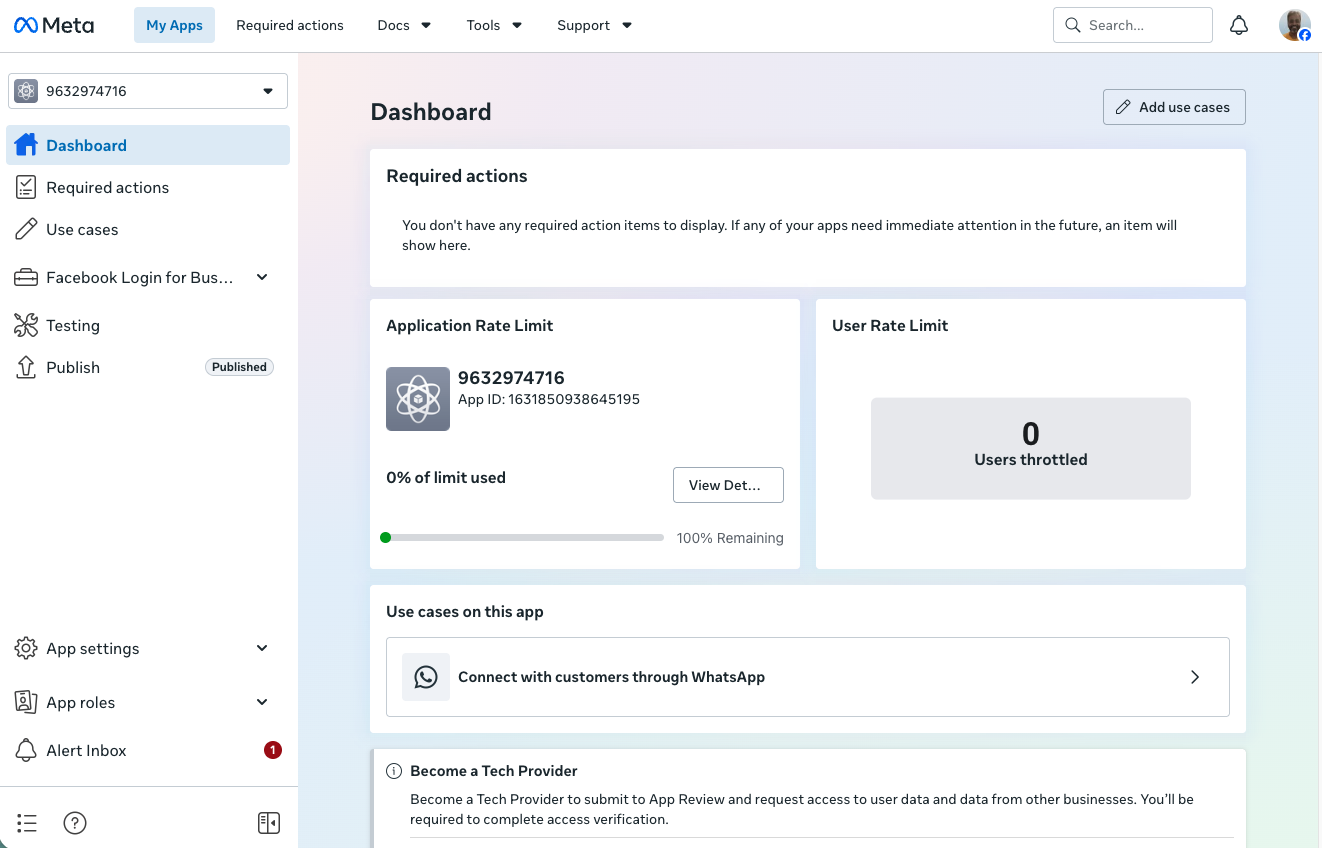
You have completed the Meta app creation. You can now go to the Dashboard by clicking the Go to dashboard button.
After creating the app, you will be in the Dashboard and can see that the app is not published. Click Publish in the left-hand sidebar, then add a link to your privacy policy. After adding the privacy policy link, you will be able to publish the app.
The Dashboard looks something like this (keeps changing).
This guide should help you smoothly create a Meta app with WhatsApp integration. If you encounter any issues, refer to the Meta Developer Documentation for detailed guidance or contact us for help.